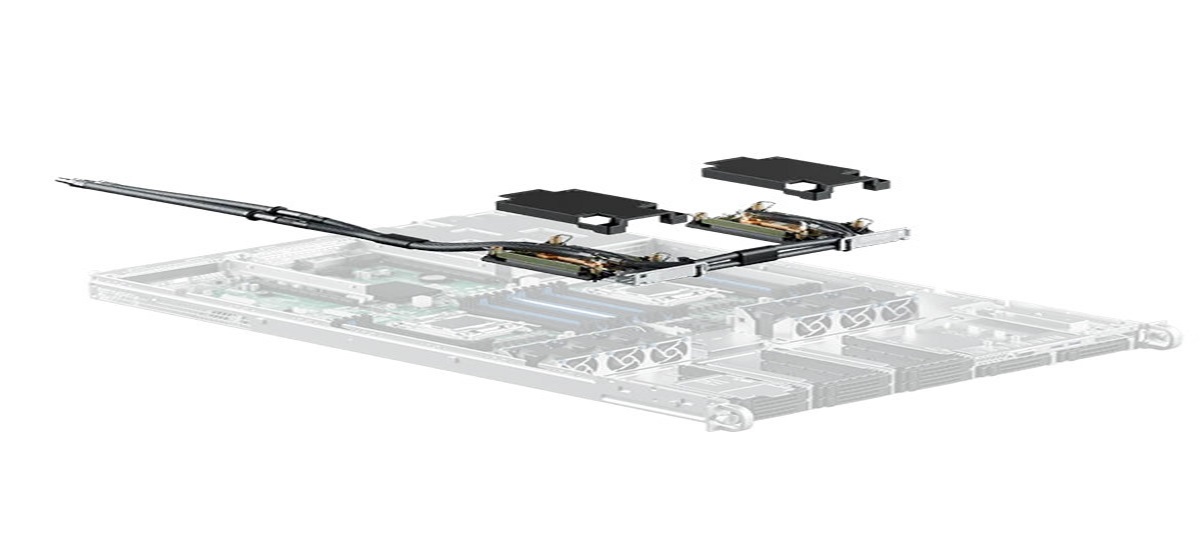
As artificial intelligence, high-performance computing, and other compute-intensive applications increase rack densities, data center operators are reconsidering how they manage heat. DLC servers provide an increasingly important option because liquid can carry heat away from high-power components close to where that heat is generated. For Canadian data centers, however, adopting liquid cooling is not simply a matter of replacing air-cooled equipment. Successful deployment therefore begins with system-level planning. Understanding the most common implementation challenges and addressing them before commissioning can help operators create a more reliable and scalable cooling environment.
Table of Contents
- Why DLC Server Deployment Requires Careful Planning
- Common Deployment Challenges and How to Avoid Them
- 1. Starting Without a Complete Infrastructure Assessment
- 2. Underestimating the Importance of Heat Rejection
- 3. Choosing Incompatible Server and Cooling Components
- 4. Failing to Plan for Leak Prevention and Detection
- 5. Neglecting Monitoring and Telemetry
- 6. Treating Liquid Cooling as a Standalone Server Upgrade
- 7. Ignoring Flow Management
- A Practical DLC Deployment Checklist
- How to Build a Safer DLC Deployment Plan
- FAQs
- Are DLC servers suitable for AI workloads?
- Do DLC servers eliminate air cooling completely?
- What is the biggest challenge when deploying DLC servers?
- Are DLC servers suitable for existing Canadian data centers?
- How can organizations reduce liquid cooling deployment risks?
- What role does a CDU play in a DLC system?
- Is direct liquid cooling difficult to maintain?
- FAQs
- Conclusion
Why DLC Server Deployment Requires Careful Planning
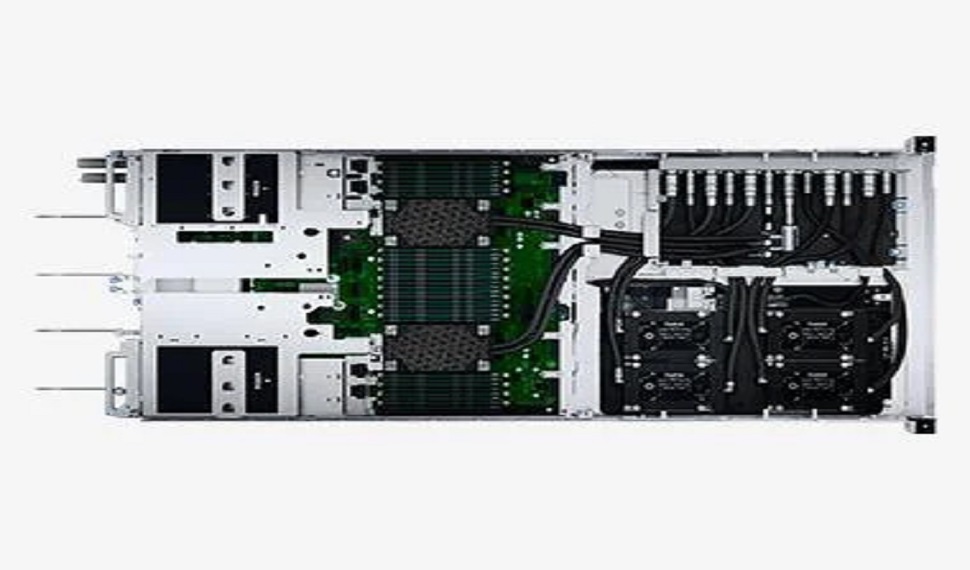
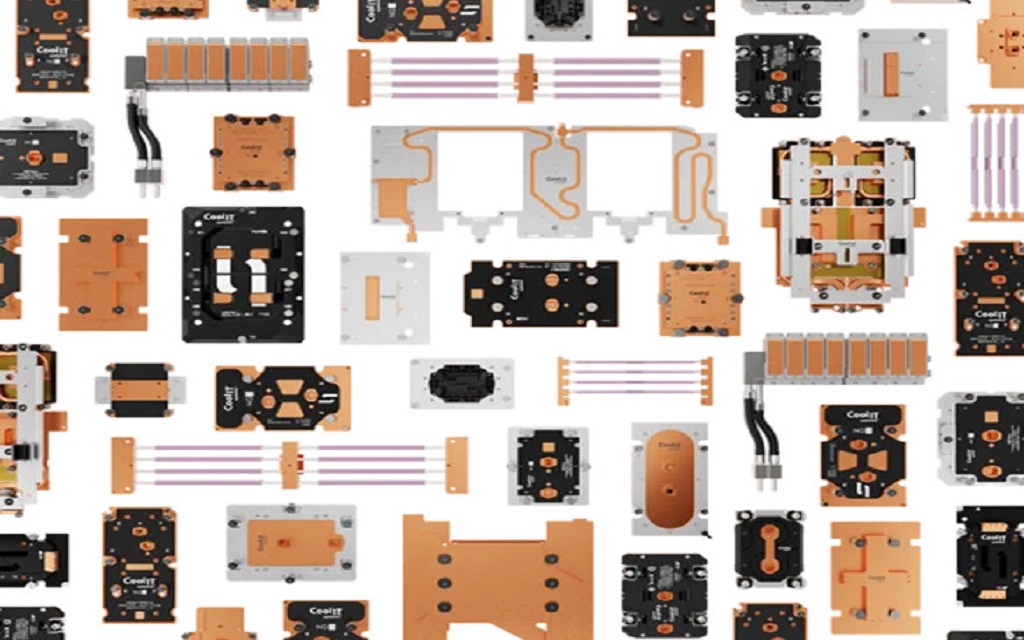
The wider cooling architecture can also incorporate rack manifolds, coolant distribution units, facility-side heat rejection and associated piping. DLC servers typically use coldplates installed on heat-generating components, with coolant circulating through a server-level loop.
This is particularly important as Canadian organizations expand AI and HPC infrastructure. Projects may involve new facilities, existing data centers being upgraded for higher-density computing, or hybrid environments where air- and liquid-cooled equipment operate together.
Common Deployment Challenges and How to Avoid Them
1. Starting Without a Complete Infrastructure Assessment
One of the most common mistakes is purchasing liquid-cooled hardware before evaluating the facility. A server may be compatible with direct liquid cooling, but the surrounding data center must also support coolant distribution, heat rejection, power requirements, rack layouts, monitoring, and service access.
Before procurement, assess:
- Rack density and available space
- Current and future IT load
- Cooling capacity
- Facility water availability
- CDU requirements
- Supply and return piping
- Expansion requirements
A facility assessment should also consider whether the deployment is taking place in a new data center equipment or an existing facility. Brownfield environments can require additional planning because existing racks, piping, cooling systems, and electrical infrastructure may have been designed around air-cooled equipment.
2. Underestimating the Importance of Heat Rejection
Capturing heat inside the server is only one part of the cooling process. The heat still needs to be transported away and rejected effectively. A complete liquid cooling architecture therefore includes heat capture, heat transportation, and heat rejection.
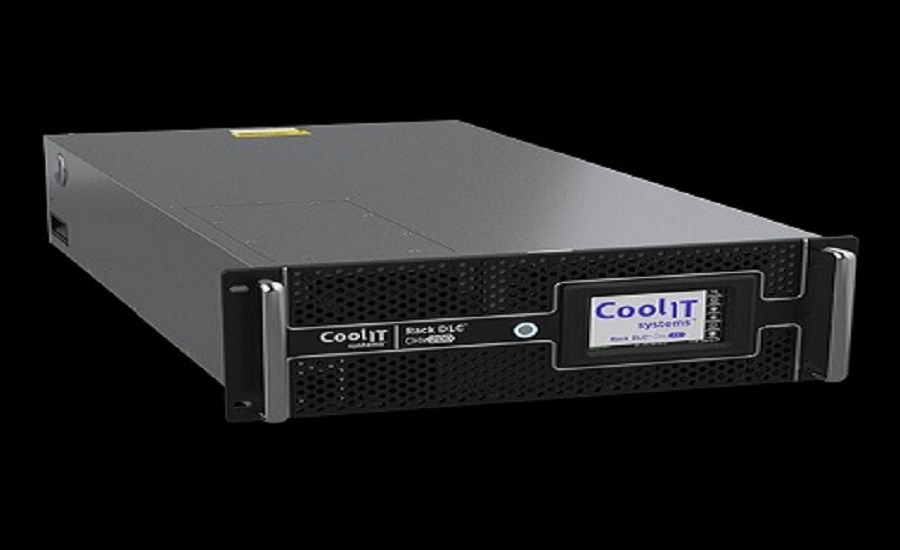
Cooling distribution units can provide pumping, thermal control, and heat exchange functions within a DLC system. Depending on the configuration, heat may ultimately be transferred to facility water or ambient air.
This becomes particularly important when deploying AI or HPC infrastructure. A rack that appears manageable today may have significantly advanced server cooling solutions after additional accelerators or higher-power processors are installed.
3. Choosing Incompatible Server and Cooling Components
Processors, coldplates, tubing, manifolds, CDUs, connectors, coolant specifications, and control systems all need to work together. A coldplate designed for one processor platform may not automatically be appropriate for another. Processor generations can also have different thermal characteristics and physical requirements.
Pre-validated server and cooling configurations can reduce integration complexity. The server page from CoolIT Systems notes that its coldplate loops are available pre-installed in server systems from leading OEMs and are designed for current processor platforms. For Canadian operators, procurement teams should document compatibility requirements before placing equipment orders.
4. Failing to Plan for Leak Prevention and Detection
The presence of liquid near electronic equipment naturally makes leak management an important operational consideration. This does not mean liquid cooling is inherently unsafe. It means the fluid network needs appropriate engineering, installation practices, monitoring, and maintenance.
During commissioning, teams should verify connections and system behavior before placing the equipment under full production workloads. For facilities in Canada, documented escalation procedures can help staff respond consistently if abnormal pressure, temperature, flow, or leak-related signals occur.
5. Neglecting Monitoring and Telemetry
A liquid cooling system should not operate as a black box.
Operators should have visibility into relevant parameters such as:
- Coolant temperature
- Flow rate
- Pressure
- System availability
Modern CDUs can incorporate sensors, valves, controls, and monitoring capabilities to help operators understand system performance. Some architectures can also provide information to building management systems.
6. Treating Liquid Cooling as a Standalone Server Upgrade
Another challenge is viewing direct liquid cooling technology as simply a replacement for a server fan. It is better understood as an infrastructure-level cooling architecture. The server is connected to a liquid distribution network. That network may include coldplate loops, rack manifolds, piping, CDUs, sensors, controls, and facility-side equipment.
Clear ownership should be established for:
- Server-level cooling
- Leak detection
- Coolant monitoring
- Maintenance procedures
- Emergency response
- System documentation
A coordinated approach helps prevent gaps between IT and facilities responsibilities.
7. Ignoring Flow Management
Liquid cooling performance depends on more than simply circulating coolant. Flow rate, pressure, temperature, piping geometry, and system resistance can all influence thermal performance.
The cooling architecture should be evaluated under expected operating conditions, including peak workloads. This is particularly relevant when deploying direct liquid cooled servers across multiple racks. Flow requirements can change as the number of connected servers increases.
A Practical DLC Deployment Checklist
Before commissioning a liquid-cooled environment, confirm that the project has addressed the following areas.
- Facility readiness: Mechanical, electrical and structural requirements have been reviewed.
- Risk controls: Leak detection, alarms and isolation procedures are established.
- Commissioning: Testing and baseline measurements are completed before full production operation.
- Training: IT and facilities personnel understand normal and abnormal operating procedures.
- Scalability: The architecture provides a practical path for future computing density.
How to Build a Safer DLC Deployment Plan
For organizations evaluating the next stage of high-density computing, CoolIT Systems can serve as a reference point when researching integrated liquid cooling architectures and server-level solutions.
- Step 1: Establish the Thermal Requirement
- Step 2: Map the Cooling Architecture
- Step 3: Validate Components Before Installation
- Step 4: Test Before Production
- Step 5: Train Operations Teams
FAQs
Are DLC servers suitable for AI workloads?
Yes, direct liquid cooling is increasingly used for high-density AI and HPC environments because liquid can transport heat directly from high-power components. However, suitability depends on server configuration, facility infrastructure, and the complete cooling architecture.
Do DLC servers eliminate air cooling completely?
Not necessarily. The extent of liquid cooling depends on the server design. Some systems use liquid cooling for major heat-generating components while retaining airflow for other components.
What is the biggest challenge when deploying DLC servers?
There is no single universal challenge. Infrastructure compatibility, heat rejection, flow management, monitoring, maintenance, leak prevention, and staff readiness can all affect deployment success.
Are DLC servers suitable for existing Canadian data centers?
They can be, but existing facilities require careful assessment. Rack layouts, cooling infrastructure, facility water, piping, electrical capacity, floor loading, monitoring, and service access should be evaluated before deployment.
How can organizations reduce liquid cooling deployment risks?
Start with system-level engineering. Validate equipment compatibility, design the direct liquid cooled servers, test connections and controls, establish monitoring, document maintenance procedures, and train operational teams before production deployment.
What role does a CDU play in a DLC system?
A coolant distribution unit helps circulate coolant and manage thermal transfer between the server-side cooling loop and the facility-side heat-rejection system. CDUs can also provide monitoring and control functions depending on the design.
Is direct liquid cooling difficult to maintain?
Maintenance requirements depend on the system architecture. Teams need appropriate procedures for coolant quality, connections, pumps, filters where applicable, sensors, manifolds, and other components.
Conclusion
Deploying DLC infrastructure successfully requires careful planning across the server, rack, cooling, facility, and operational layers. The biggest risks often occur when organizations focus only on the server and overlook the supporting liquid network. Proper compatibility checks, heat-rejection planning, flow management, monitoring, leak prevention, testing, and staff training can significantly improve deployment readiness. The key is to plan before deployment, validate before production, monitor during operation, and design with future computing requirements in mind.
Looking for reliable DLC server solutions for high-density data centers? Explore the map to locate direct liquid cooled servers for modern computing infrastructure.